If a customer pulls up their phone to look at your menu before deciding where to eat tonight and cannot find it quickly, they move on. It is that simple. The decision happens in seconds, and a menu that is buried, blurry, or missing entirely loses the moment it needs to win.
Knowing how to put a restaurant menu online correctly is not complicated, but there are a handful of very common mistakes that quietly cost restaurants real business every day. This article covers what those mistakes are, how a good online menu for a restaurant should actually work, what makes a menu usable on a phone, and how to get it done without hiring a developer or spending a weekend figuring out a website builder.
Why Your Online Menu Is a Business Decision, Not Just a Website Feature
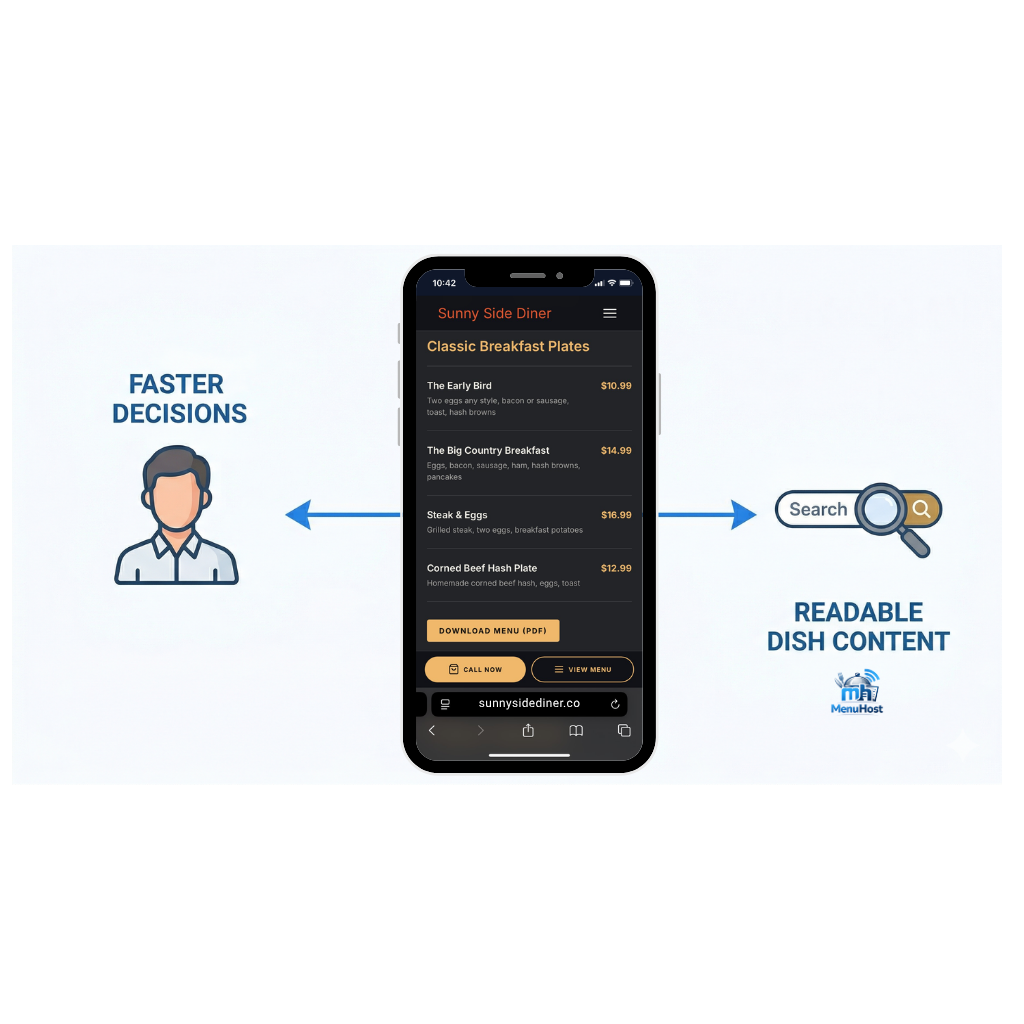
Your menu is the single most important piece of information a potential customer is looking for. It tells them whether you serve what they are craving, whether the prices fit their budget, and whether the food sounds worth the drive. When that information is easy to find and easy to read, customers make faster decisions. When it is not, they find a restaurant whose menu they can actually see.
There is a second audience for your menu that most restaurant owners do not think about: Google. When your menu items are written as readable text on a real webpage, Google can associate those dishes with your restaurant. That means someone searching "restaurants with shrimp po-boys near me" or "best breakfast burritos in [city]" has a real chance of finding you. A menu that is hidden in a Facebook photo or a PDF file on your phone is invisible to Google entirely. It simply cannot be read or indexed the way a web page can.
Getting your restaurant menu online and keeping it current is one of the highest-return things a small restaurant can do for its visibility. And most restaurants are not doing it right.
The Common Mistakes That Make Your Menu Hard to Find
Posting the Menu as a Facebook Photo
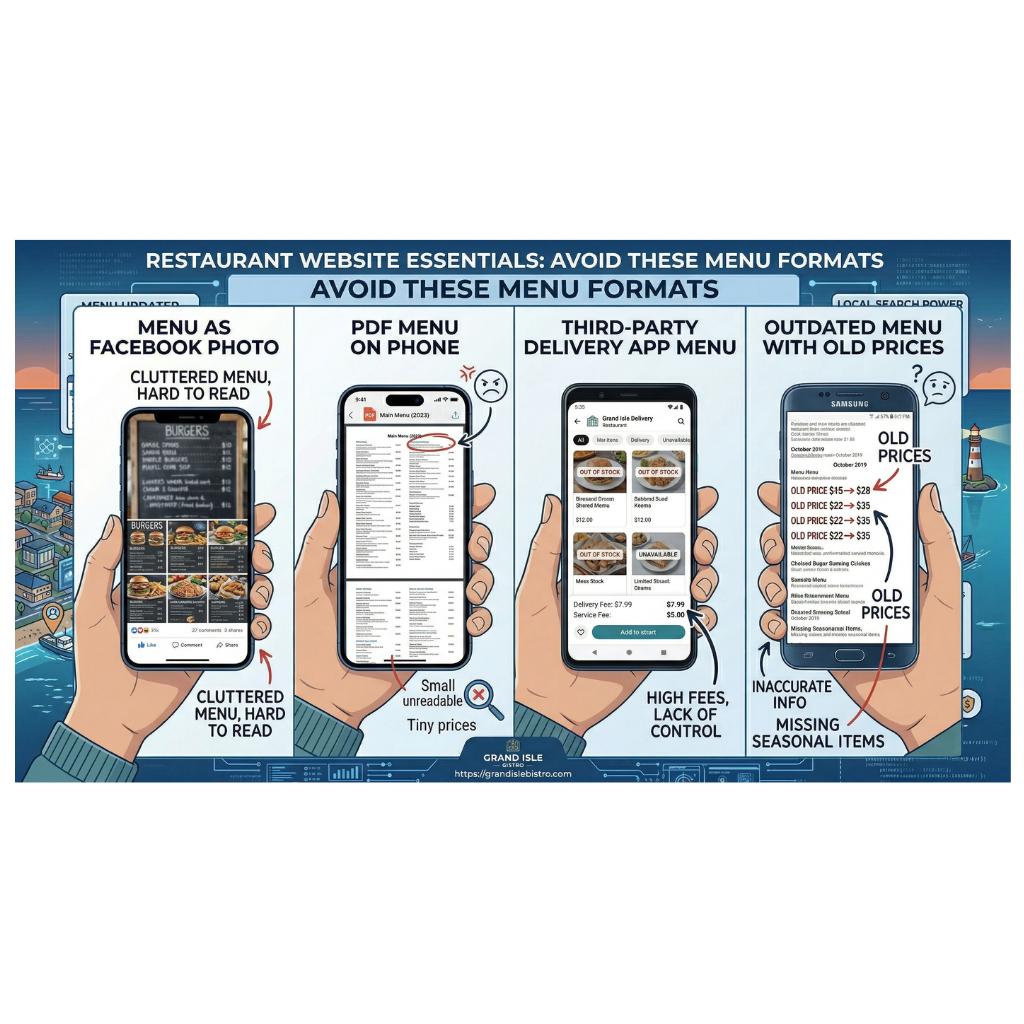
This is one of the most widespread workarounds independent restaurants use, and it has several real drawbacks. A photo of a printed menu is often hard to read on a phone screen. Customers have to pinch and zoom to make out the text. If the lighting was bad or the photo is not sharp, some sections are unreadable entirely.
Beyond the customer experience problem, Google cannot read text inside an image. It has no way of knowing what dishes you serve based on a photo of your menu. Every customer who finds you through a dish-specific search is a customer you are not reaching.
Facebook also only shows your posts to a fraction of your followers. A customer who has never heard of your restaurant and is searching Google for somewhere to eat tonight is not going to stumble across a Facebook photo from three weeks ago.
Sending Customers to a PDF File
A PDF menu is not a bad thing on its own. Offering a downloadable version of your menu for customers who want to save or print it is a genuinely useful feature. The problem is when the PDF is the only version of your menu available online.
PDFs are difficult to navigate on a phone. Customers have to download or open the file, wait for it to load, and then scroll through a layout designed for print rather than a small screen. Many simply give up. And like images, Google cannot read the contents of a PDF the same way it reads text on a webpage. Menu items inside a PDF are invisible to search.
A PDF can be a helpful supplement to a real web-based menu. It should not be the primary version.
Linking to a Third-Party Delivery App as the Menu
Some restaurants direct customers to their DoorDash or Grubhub listing when someone asks for the menu. That creates a problem. Those platforms exist to facilitate orders through their service, not to give you a neutral, browsable menu presence. Customers who just want to see what you serve before deciding to visit in person are pulled into an ordering flow they may not want. And you have no control over how that page represents your restaurant.
Your online menu should live on your own website, one you own and can update on your terms.
The Menu That Has Not Been Updated in Two Years
An outdated menu may be worse than no menu at all. If a customer comes in expecting a dish you no longer serve, or sees prices that are no longer accurate, the disconnect damages trust. It can generate complaints, bad reviews, and the specific frustration of feeling misled. Keeping your menu current is not optional once it is online. It becomes part of your restaurant's reputation.
What a Good Restaurant Menu Website Actually Looks Like
Readable Text on a Real Webpage
The most effective online menu for a restaurant is written directly on a webpage as readable text, organized into sections with clear headings. Appetizers, entrees, sides, desserts, drinks. Each item with a name, a brief description if it helps, and a price. That format is easy for customers to browse and easy for Google to read and understand.
This does not need to be elaborate. A clean, well-organized list is far more useful than a design-heavy page that loads slowly or requires scrolling past large graphics to find the actual food.
Organized Into Sections Customers Recognize
A menu that throws everything onto one unorganized page forces customers to hunt. Clear section headings make the experience faster and easier. Customers scanning for a specific type of dish should be able to find it in a few seconds without reading every line.
If you have separate menus for different meal periods, such as breakfast and lunch, or a separate drinks list, each should be clearly labeled and easy to navigate between.
Current Prices and Availability
Prices should reflect what you are actually charging right now. If a dish is seasonal or temporarily unavailable, note it or remove it until it returns. A customer who sees a price online and is charged something different at the table has a reason to feel misled, even if the difference is minor.
What Makes a Restaurant Menu Easy to Read on a Phone
Most people searching for a restaurant are on a mobile device. Your online menu needs to work on a small screen without any friction.
A mobile-friendly restaurant menu has a few specific qualities. Text is large enough to read without zooming. The layout adjusts to fit the screen rather than requiring horizontal scrolling. Items are spaced out enough that they are easy to tap and navigate. The page loads quickly, because a slow-loading menu on a phone is one customers abandon before they finish reading.
Before you consider a menu live, look at it on your own phone. Scroll through it the way a customer would. If anything is hard to read, hard to find, or requires extra effort to use, those are the things to fix before it goes out into the world.
How MenuHost Makes Getting Your Menu Online Straightforward
Setting up an online menu for a restaurant involves a few moving parts: building the page structure, entering the content in a way that is organized and readable, making sure it displays correctly on mobile, and making sure Google can find and read it. For most restaurant owners doing this on a generic website builder, that process takes time and often produces incomplete results.
MenuHost was built specifically to skip a lot of the foundational setup restaurant owners would otherwise need to figure out themselves or hire someone to implement.
When you build your site on MenuHost, your menu section is already structured and ready to fill in. You add your sections, your items, descriptions, and prices using a plain-English editor. There is no blank page, no code, and no layout to design from scratch. The menu you build is written as readable text on a clean, mobile-optimized page, which means both customers and Google can access it the way they should.
MenuHost also lets you offer a downloadable PDF version of your menu as a separate option, so customers who want to save or print it have that choice without it becoming the only version available. And because your menu content is structured correctly on the page, Google can read individual dish names and associate them with your restaurant, which helps with local searches for specific foods in your area.
Keeping the menu current is straightforward too. You make changes through the same editor and publish them immediately, with no developer involved and no wait time.
Getting Your Restaurant Menu Online the Right Way
Knowing how to put a restaurant menu online is not about technology. It is about making the decision to give customers a fast, clear, reliable way to see what you serve, and making sure Google can find it too.
A menu buried in a Facebook album, hidden inside a PDF, or linked to a third-party delivery app is not working as hard as it should be. A menu written on a real webpage, organized by section, updated regularly, and readable on any device is one of the most useful things your restaurant can have online.
Get it right once, keep it current, and it becomes a customer you never have to chase.
Ready to get your restaurant menu online the right way?
Put Your Menu Online at MenuHost.co and have a clean, mobile-friendly, Google-readable menu live in one sitting, no technical knowledge required.