When someone searches "restaurants near me" or "best seafood in [your city]," Google has to make a decision in seconds: which restaurants are worth showing, and in what order. That decision is based almost entirely on what Google can find and understand about each restaurant online.
A restaurant website built for Google is not about tricks or technical wizardry. It is about giving Google clear, complete, organized information so it can accurately represent your restaurant to people who are actively looking for somewhere to eat. The good news is that what Google wants and what your customers want are almost exactly the same thing. This article walks through the five most important elements, explains what Google is actually looking for in plain English, and shows you how to make sure your site covers all of it.
Why Google Reads Your Restaurant Website Like a Form
Before jumping into the five elements, it helps to understand how Google processes a website. Google does not "look at" your website the way a person does. It reads it. It is scanning for specific pieces of information in a specific format, almost the way a form is filled out. Name, address, hours, cuisine type, price range, menu items. When those details are present and organized correctly, Google can surface your restaurant confidently in search results. When they are missing, incomplete, or buried in a format Google cannot process, your restaurant becomes harder to recommend.
This is why local SEO for restaurants is not just about ranking for competitive keywords. It starts with making sure the basic information on your site is readable, current, and complete. Most independent restaurants are missing at least a few pieces of this, and it shows in how they appear, or fail to appear, in search results.
The 5 Things Google Wants to See on a Restaurant Website for Google
1. Your Core Business Details, Written Out Clearly
Google needs to know who you are before it can recommend you to anyone. That means your restaurant name, your cuisine type, and your price range need to be on your website in a format Google can read, not embedded in an image, not locked inside a PDF, not mentioned only in a Facebook post.
Your restaurant name should appear exactly as it does everywhere else online: on Google Maps, on Yelp, on your Facebook page. When those all match, Google connects the dots and treats them as a single, verified business entity. When they do not match, Google is less confident, and that uncertainty can work against you in local search rankings.
Your cuisine type matters more than most restaurant owners realize. When someone searches "Italian restaurant near me" or "best BBQ in [city]," Google is matching that query to restaurants it has categorized correctly. If your website does not clearly communicate what kind of food you serve, you may not appear for those searches at all, even if you are the best option nearby.
2. A Full, Readable Menu
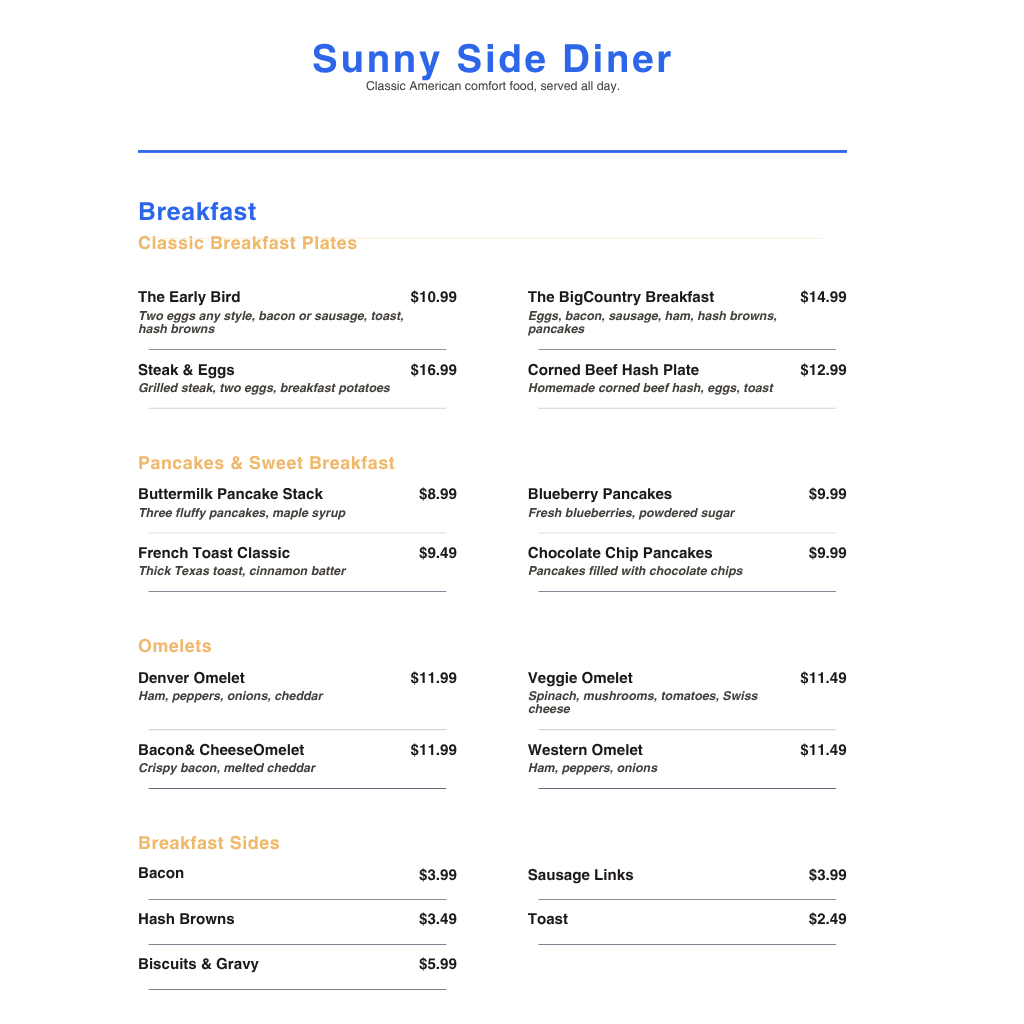
Your menu is one of the most valuable assets on your website, not just for customers but for local SEO for restaurants. When your menu items are written directly on your website as readable text, Google can associate individual dishes with your restaurant. That means someone searching "restaurants with gumbo near me" or "where to get crawfish in [city]" has a much better chance of finding you.
A PDF menu does not accomplish the same thing. Google cannot read a PDF the way it reads a page of text. If your menu only exists as a downloadable file, the dish names and descriptions inside it are essentially invisible to search engines.
A practical, readable menu on your website should include section headings, item names, brief descriptions where helpful, and current prices. That combination gives both customers and Google what they need to understand what you serve and whether it matches what they are looking for.
3. Accurate Hours in a Format Google Can Use
Your hours are one of the first things a customer checks before deciding whether to visit. They are also one of the first things Google looks for when building its understanding of your restaurant. The challenge is that hours need to be formatted in a way Google can actually process, not just listed in a paragraph or buried in a graphic.
When your hours are formatted correctly, Google can show details like "Open until 9 PM" or "Closes soon" directly in search results, before a customer even clicks on your site. That kind of visible, current information builds confidence and drives decisions.
There is another reason accuracy matters beyond first impressions. When your website hours match your Google Business Profile exactly, Google treats both sources as reliable. When they conflict, Google has to guess which one is correct, and that uncertainty can affect how your restaurant appears in local search results. Keeping both in sync is one of the simplest restaurant website tips that has a real impact on visibility.
4. Food Photos That Google Can Index
Food photos are not just a design choice. They are a local search tool. When your images are part of your website rather than only living on social media, Google can index them. That means people browsing Google Images looking for somewhere to eat, or searching for a specific dish in your area, can discover your restaurant through those photos.
For this to work, a few things need to be true. Your photos need to be on your website, not just linked from Facebook or Instagram. They need to be properly sized so they load quickly, especially on mobile. And their file names and descriptions should reflect what is actually in the image rather than something generic like "IMG_4832.jpg."
Good food photography also does what no amount of text can do: it creates appetite. A customer who sees a real, appealing photo of your most popular dish is far more motivated to visit than one who only reads a description. Google benefits from the organization. Your customers benefit from the visual.
5. Your Location and Contact Information, Easy to Find
Your address, phone number, and a way to get directions need to be easy to find on your site and formatted correctly. This matters for customers who are ready to visit, and it matters for Google, which uses your address to determine which local searches your restaurant should appear in.
Your address should match exactly what appears on Google Maps. The street, city, state, and ZIP code should be written out as readable text on your page, not just embedded in an image or an iframe. When Google can read your address as text, it can confirm your location with confidence and match you to "near me" searches in your area.
A clickable phone number is especially important for mobile users. Most people searching for a restaurant on their phone want to be able to tap a number and call immediately. Making that easy is a small thing that has a direct effect on how many people actually reach you.
One More Thing: Your Website Needs to Be Readable on Any Device
This is less of a standalone item and more of a foundation that everything else depends on. If your website does not load properly on a phone, none of the five elements above will perform the way they should. Customers will leave before they find your hours. Google will factor in the poor mobile experience when deciding how prominently to display your site.
A clean, well-organized page structure also helps Google navigate your site more efficiently. That means using clear headings, keeping your menu and contact information on properly labeled pages, and avoiding design choices that make the text hard to read or the page slow to load. You do not need to understand the technical side of this. You just need to make sure the platform you are using handles it correctly by default.
How MenuHost Puts All Five Elements in Place Automatically
Building a restaurant website for Google the right way involves a lot of foundational setup that most restaurant owners do not know they need and most generic website builders do not handle well. MenuHost was built specifically to skip that gap.
When you build a site on MenuHost, the five elements covered in this article are not things you have to configure or research. They are part of how the platform works. Your business name, cuisine type, and price range are structured in a format Google can read from the moment you publish. Your menu items are written as readable text, not locked inside a file. Your hours are formatted correctly. Your food photos are submitted to Google Images automatically. Your address is organized the way Google expects it, matching what appears on Maps.
None of this requires you to understand what structured data or sitemaps are. You fill in your information using a plain-English editor, and MenuHost handles the technical organization behind it. The result is a site that covers the foundational local SEO work that restaurant owners would otherwise need to figure out themselves or hire a professional to implement.
It is worth being clear: no website platform is a complete substitute for every kind of SEO strategy in every market. Highly competitive areas may still benefit from additional work over time. But for most independent restaurants, getting these five fundamentals right and organized correctly is the most important step, and it is one you should not have to take alone.
Give Google What It Needs to Recommend You
The core idea behind a restaurant website for Google is not complicated. Google wants the same things your customers want: clear business information, a readable menu, accurate hours, appealing photos, and an easy way to find and contact you. When all five of those are present, organized, and current, Google has everything it needs to recommend your restaurant to the people nearby who are searching for exactly what you serve.
Most independent restaurants are not there yet. The ones that get these basics right have a real advantage over competitors who are still relying on Facebook alone or running outdated sites with missing menus and wrong hours.
Your restaurant deserves to show up. Make sure your website gives Google a reason to put you there.
Ready to build a restaurant website that Google can actually understand?
Build a Google-Ready Restaurant Website at MenuHost.co and get your menu, hours, photos, and location organized correctly in one sitting, no technical knowledge required.