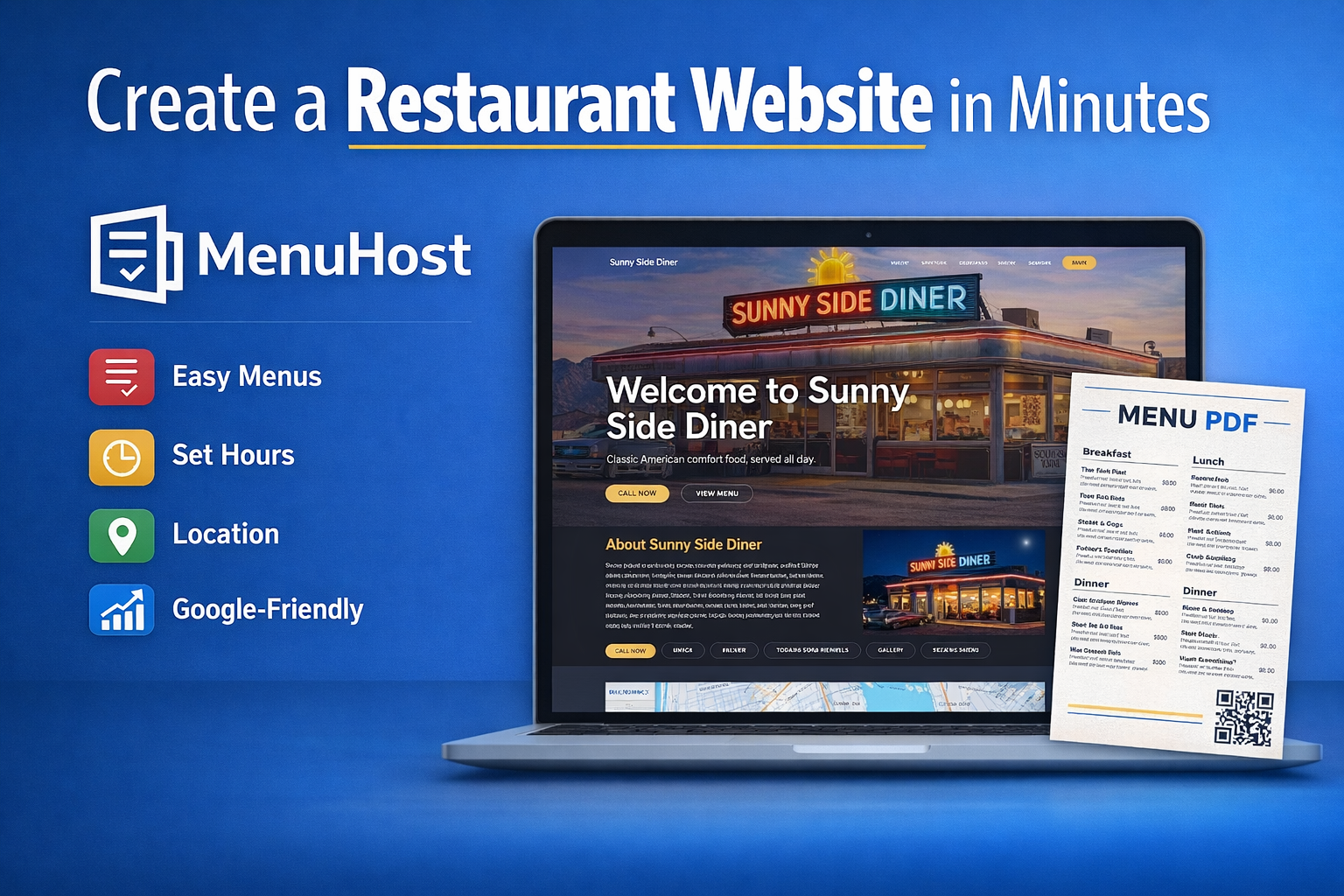
If you are a restaurant owner who needs a website but does not want to deal with complicated design tools, code, or expensive custom development, MenuHost was built for you.
MenuHost makes it simple to create a restaurant website that looks polished, works well for customers, and includes the information Google wants to see online. Instead of piecing together your menu, hours, photos, links, and contact info across different platforms, you can build one clean website that brings everything together in a single place.
In this walkthrough, I’m showing just how easy it is to create a live restaurant website with MenuHost, customize it, publish it, and even generate a downloadable PDF version of your menu.
Start With the Website Wizard
The first step inside MenuHost is creating your site through the setup wizard. This is where you can quickly get the basics in place without needing to build everything from scratch.
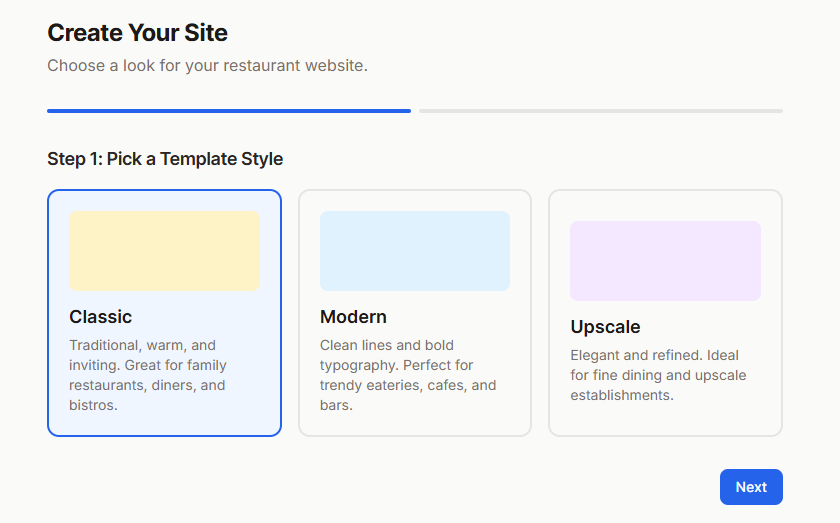
Inside the wizard, you can choose from different website styles like Classic, Modern, or Upscale. You can also preview the demos before selecting the one that best fits your restaurant. In the example from the tutorial, I created a classic American diner website using the Modern style and the Denim Burger theme.
This is a great starting point because it lets restaurant owners get a site online fast. Even if you plan to customize it more later, the wizard helps you create a strong first version in just minutes.
Add Your Restaurant Information
Once you choose your design style, the next step is filling in the important restaurant details.
This includes your business hours, social links, about section, online ordering links, and general contact information. MenuHost organizes everything in a way that is easy to input and easy to review before you publish.
One of the best parts is that you do not need to wonder whether your site will include the basics. MenuHost is designed specifically for restaurants, so it expects the kind of information your customers are actually looking for, like your hours, menu, location, ordering buttons, and photos, which are core parts of any restaurant website essentials.
That means you are not starting with a blank page and trying to figure out what matters most.
Build Your Menu Without Code
The menu is one of the most important parts of any restaurant website, and MenuHost makes this process much easier.
In the tutorial, I started by adding a breakfast menu and then moved on to other menu sections like lunch and dinner. Each section can include menu items, prices, descriptions, and tags. As you type information into the editor, you can see it update on the website preview.
This makes the process feel much more visual and beginner-friendly. Instead of entering information into a confusing backend and hoping it looks right later, you can actually see your menu taking shape in real time.
You can also come back and add more details later, including menu descriptions and special tags that help highlight certain dishes.
Add Daily Specials, Photos, and Reviews
A restaurant website needs more than just a menu. It should also give potential customers a feel for your restaurant and help them trust what they see online.
With MenuHost, you can add daily specials, upload gallery images, and include testimonials from customers. In the tutorial, I added six photos and six reviews, which is enough to make the site feel complete and credible right away.
There is also an area for photo alt text, which is useful for search visibility and accessibility. That means your gallery images are not just there to look nice. They can also help support your overall online presence.
When it comes to your hours, MenuHost also makes the website more useful for visitors by highlighting the current day and clearly showing whether the restaurant is open or closed. This helps eliminate confusion and gives customers quick answers.
Built for Google, Not Just Looks
One of the biggest advantages of MenuHost is that it is not just focused on design. It is also built to support what Google wants to see on a restaurant website.
In the editor, you can add details like your price range, restaurant type, and key business information. That information is used in your site’s schema, which helps search engines better understand your restaurant website.
There is also a section where you can customize how your site appears in Google Search. This is where you can edit the title and description that may show up in search results. For restaurant owners, this is a major advantage because it gives you more control over how your business is presented online.
A restaurant website should do more than just exist. It should help customers find information faster and help search engines understand what your business offers.
Connect Ordering Links and Google Analytics
MenuHost also lets you connect your ordering platforms and tracking tools.
In the tutorial, I showed how you can add links for platforms like Toast, DoorDash, and OpenTable. That means customers can move directly from your website to the action you want them to take, whether that is reserving a table or placing an order.
I also showed how easy it is to connect Google Analytics. All you have to do is grab your tracking code from Google Analytics, paste it into the proper field inside MenuHost, and verify it. This makes it much easier to track website activity and understand how customers are using your site.
For restaurant owners who want something simple but still want real marketing visibility, this is a huge benefit.
Customize the Design to Match Your Brand
Even though MenuHost helps you create a website quickly, you are not stuck with one generic look.
You can switch between color schemes, update your images, change headlines, edit button text, and even enter your own brand hex colors inside the advanced settings. That gives you the freedom to make your website feel more on-brand without needing a designer or developer.
In the tutorial example, I tested different diner color options and then kept the Denim Burger theme because it fit the restaurant style well. But if you already have specific brand colors, you can apply those instead.
This balance between speed and customization is what makes MenuHost practical. You can get something live quickly, then continue improving it as needed.
Publish Your Site and Download a PDF Menu
Once everything looks good, you can preview the site, publish it, and instantly view it live.
Your menu becomes fully clickable on the site, making it easier for customers to jump between sections like breakfast, lunch, and dinner. But one of the most useful features comes after that.
MenuHost can automatically generate a downloadable PDF menu based on the menu you entered into the site, which works best when you treat it as a PDF menu alongside your online menu. That means you do not have to create a separate PDF manually just to have a menu file customers can share or save.
The generated PDF can include your menu sections and a QR code that links directly back to your restaurant website. If you already have your own custom PDF menu, you can also add that link inside the editor and replace the default button.
This is one of the most practical features for restaurants because it saves time and gives you another useful customer-facing asset right away.
Add a Custom Domain and Find Your Sitemap
After publishing, you can also connect your own custom domain.
MenuHost gives you simple steps for adding your domain. You just enter the domain you own, log into your domain provider, and copy the DNS records exactly as shown. Once those are added, you can check the status until the domain is connected.
This gives your restaurant a more professional web address and helps make the site feel fully established.
You can also easily find your sitemap inside the dashboard or settings area. This is useful when submitting your website to Google Search Console so search engines can discover and crawl your site more efficiently.
Why MenuHost Makes Sense for Restaurants
Restaurant owners do not need a complicated website process. They need something that gets them online fast, looks good, and includes the information customers are already searching for.
MenuHost helps restaurants create a one-page website that includes the essentials:
Menu
Hours
Photos
Reviews
About section
Contact details
Ordering links
Map
Social links
PDF menu access
Google-friendly structure
In the tutorial, I built out a full diner website with three menus, six photos, six testimonials, a cover image, hours, ordering links, and branding updates in about 30 minutes. If you have less content than that, you could move even faster.
That is what makes MenuHost such a strong option for restaurant owners who want a clean online presence without the overwhelm.
Final Thoughts
If your restaurant has been relying too heavily on Facebook, outdated links, or scattered information online, MenuHost gives you a much easier way to bring everything together.
It helps you create a website that works for real customers and supports your online visibility at the same time. You can go from no site to a polished live website, complete with a menu PDF and your core business information, all without touching code.
For restaurants that want something simple, affordable, and built around what actually matters, MenuHost makes the process easy.
Ready to create your restaurant website?
Start building with MenuHost and get your menu, hours, photos, and ordering links online in one place.