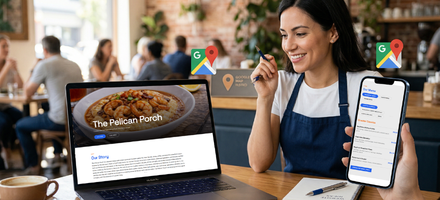
If you have ever searched for a restaurant online and clicked away because the menu was missing, the hours were wrong, or the site looked broken on your phone, you already understand the problem this article is solving.
A restaurant website is not a luxury. It is the one place where Google and your customers should be able to find everything they need to make a decision. When that place is incomplete, people move on to the next result.
This restaurant website checklist covers every essential element your site needs, organized by page and purpose. It is written for restaurant owners who are not web developers and do not want to become one. No jargon, no assumed knowledge. Just a clear picture of what belongs on your site and why it matters.
Why a Complete Website for Your Restaurant Actually Matters
A Facebook page has real limits. It reaches people who already follow you, and organic reach has declined steadily over the years. A customer searching "seafood restaurant near me" on Google at 6:30 on a Friday night is not scrolling Facebook. They are looking at search results. If your restaurant does not have a real website with the right information in the right format, Google does not have what it needs to recommend you.
That last part is worth pausing on. Google reads your website the way it reads a form. It is looking for specific information, structured in a specific way: your cuisine type, your hours, your address broken down correctly, your price range, your individual menu items. When that information is scattered across a Facebook page, an outdated PDF, and a half-finished website, Google cannot piece it together reliably.
A complete, well-organized website for your restaurant fixes that. It gives customers the information they need to decide quickly, and it gives Google the organized data it needs to recommend you to people nearby who are actively searching for what you serve. You do not need to understand the technical side of how that works. You just need to know what belongs on your site.
The Core Restaurant Website Checklist
Homepage
Your homepage is the first thing most visitors see. It needs to communicate who you are and what you offer within a few seconds.
Restaurant name, clearly visible at the top
Cuisine type or a short description of what you serve
A strong, appealing food photo as the main image
Your address and neighborhood or city
Current hours, including any holiday or seasonal changes
A phone number that is easy to tap on a phone
A link or button to your full menu
A link or button to get directions
A clear call to action (View Menu, Order Now, Make a Reservation)
One thing worth noting: the way this information is displayed on your homepage affects how Google reads it. Hours buried in a photo or listed in a way that only humans understand may not register correctly in search results. When the details are in a clean, structured format, Google can surface them accurately, including that "Open until 9 PM" line people see before they even click on your site.
Menu Page
The menu is the most-visited page on nearly every restaurant website. Customers come here to decide whether to visit or order. Google comes here to understand what kind of restaurant you are.
All menu sections listed with clear headings (Appetizers, Entrees, Desserts, Drinks, etc.)
Item names written out in full
Brief descriptions for key dishes
Current prices
Indicators for dietary needs where applicable (vegetarian, gluten-free, contains nuts)
A note about seasonal or limited-availability items if relevant
A downloadable PDF menu as an option for customers who want to save or print it
The PDF menu matters, but it is a supplement, not a substitute. Google cannot read a PDF the way it reads text on a page. Your full menu written directly on your site is what helps Google understand what you serve and match you to searches like "restaurants with crawfish nearby" or "best brunch spots in [your city]."
Contact Page
Full street address formatted correctly (street, city, state, ZIP as separate fields where possible)
Phone number
Email address or a simple contact form
Embedded Google Map or a link to directions
Complete hours of operation, including days you are closed
Any parking notes or accessibility information worth sharing
Your address and hours need to match exactly what is in your Google Business Profile. When those two sources say the same thing, Google has more confidence in the information and is more likely to display it accurately.
About Page
A short paragraph about your restaurant's story or background
Your cuisine focus or what makes your food distinctive
Names of owners or key staff if you want a personal feel
Any local sourcing, specialty techniques, or community ties worth mentioning
This page is often skipped, but it serves two purposes. It builds trust with first-time visitors who want to know who they are supporting. And it gives Google more context about your restaurant as a real, established local business, which contributes to how it understands and ranks your site over time.
Restaurant Website Basics: The Technical Side Explained Simply
You do not need to understand web development to use this section. These are the fundamentals that affect whether your site works for customers on a phone and whether Google can make sense of what you do.
Why Google Needs Your Info Organized Correctly
Think of it this way: when you hand Google a jumbled pile of information, it has to guess. When you give it organized, clearly labeled details, it knows exactly what to do with them. That is the difference between a website that shows up in local search results and one that does not.
The technical term for this organized format is structured data. It is the behind-the-scenes way your website tells Google things like "this is a restaurant," "here are the hours in a format you can understand," "this is the cuisine type," and "these are the dishes on the menu." Most restaurant owners will never need to set this up themselves. But it is worth knowing that it exists, because not every website platform handles it correctly, and missing it has real consequences for how well you show up on Google.
Mobile Readability
Most restaurant searches happen on phones. Your site needs to load quickly, display correctly on a small screen, and be easy to navigate without zooming.
Site loads properly on a phone screen
Text is readable without zooming in
Buttons and links are large enough to tap
Menu items are not cut off or jumbled on mobile
Before you publish any website, preview it on a phone. What looks fine on a desktop can be completely broken on a small screen, and that is the version most of your customers are seeing.
Accurate, Up-to-Date Information
Nothing erodes trust faster than a website that shows the wrong hours or a menu that no longer exists.
Hours are current and match your Google Business Profile
Menu reflects what you are actually serving right now
Phone number is correct and connects to your restaurant
Address is accurate and matches Google Maps
Outdated information is not neutral. If a customer drives to your restaurant based on hours listed on your site and finds you closed, that is not a minor inconvenience. It is a lost customer who is unlikely to come back. Keeping your site current is one of the simplest things you can do to protect your reputation.
Photos
Food photos are one of the most powerful decision-making tools a restaurant has online.
At least one high-quality exterior or interior photo
Photos of your best or most popular dishes
Images that are clear and properly sized on any screen
File names and descriptions that mention what is actually shown
When your food photos are part of your website rather than just sitting in a Facebook album, Google can index them. That means customers searching for specific dishes or browsing Google Images for where to eat can find your restaurant through those photos, not just through your name.
Restaurant Website Tips for Building Trust
A clean, complete website does more than share information. It signals to potential customers that you are a real, established business worth visiting.
Your restaurant name and branding are consistent across the site
No broken links or error pages
Links to your Google review profile or Yelp page
Any awards, press mentions, or local recognition listed if applicable
Social media links that go to active accounts
A footer with your business name, address, and current year
One underrated trust signal is consistency. When the name, address, hours, and phone number on your website match what appears on Google, Yelp, and Facebook, Google reads all of those as belonging to the same verified business. Inconsistencies across platforms can quietly work against you in local search results.
How MenuHost Handles the Hard Parts of This Checklist Automatically
Going through this checklist and building a website from scratch using a generic website builder takes time and technical patience that most restaurant owners do not have. And even when that investment is made, many of the things that matter most for Google visibility, such as structured data, correct hours formatting, cuisine tagging, and image indexing, are simply not set up correctly by default on platforms that were not built specifically for restaurants.
MenuHost was built to skip a lot of that foundational setup restaurant owners would otherwise need to figure out themselves or hire someone to implement.
When you build a site on MenuHost, the structure is already in place. Your menu, hours, address, photos, and contact information are entered once, in plain English, using an editor that labels everything the way a restaurant owner thinks about it. There is no blank page to stare at and no settings buried under technical jargon.
Behind the scenes, what you enter gets organized into a format Google can actually read. Your cuisine type, price range, hours in the correct format, individual menu items, and address details are all structured automatically. Your food photos get submitted to Google Images. Your site gets its own sitemap that you can submit directly to Google Search Console. None of that requires you to touch a single technical setting.
This is not a replacement for every kind of SEO work in every market. Competitive local markets may still benefit from a broader strategy over time. But for most independent restaurants, getting the foundational information in front of Google accurately and completely is the single most important step, and MenuHost handles it from day one.
For owners who would rather not build it themselves at all, the done-for-you option gets your site built and live for a one-time fee with the first year of hosting included.
Your Restaurant Website Checklist, Completed
A strong website for your restaurant is not about having the most pages or the fanciest design. It is about giving Google and your customers one reliable place to find everything they need: your menu, your hours, your location, your photos, and a reason to trust you before they ever walk through the door.
Use this restaurant website checklist to audit what you already have, fill in what is missing, and make sure the platform you are using handles the details that actually affect how Google sees your business. Getting the basics right is not complicated. It just has to be done.
Your restaurant is worth finding. Your website should make that easy.
Ready to check everything off the list in one sitting?
Start Your Restaurant Website at MenuHost.co and go from zero to a complete, Google-ready site without any technical knowledge required.